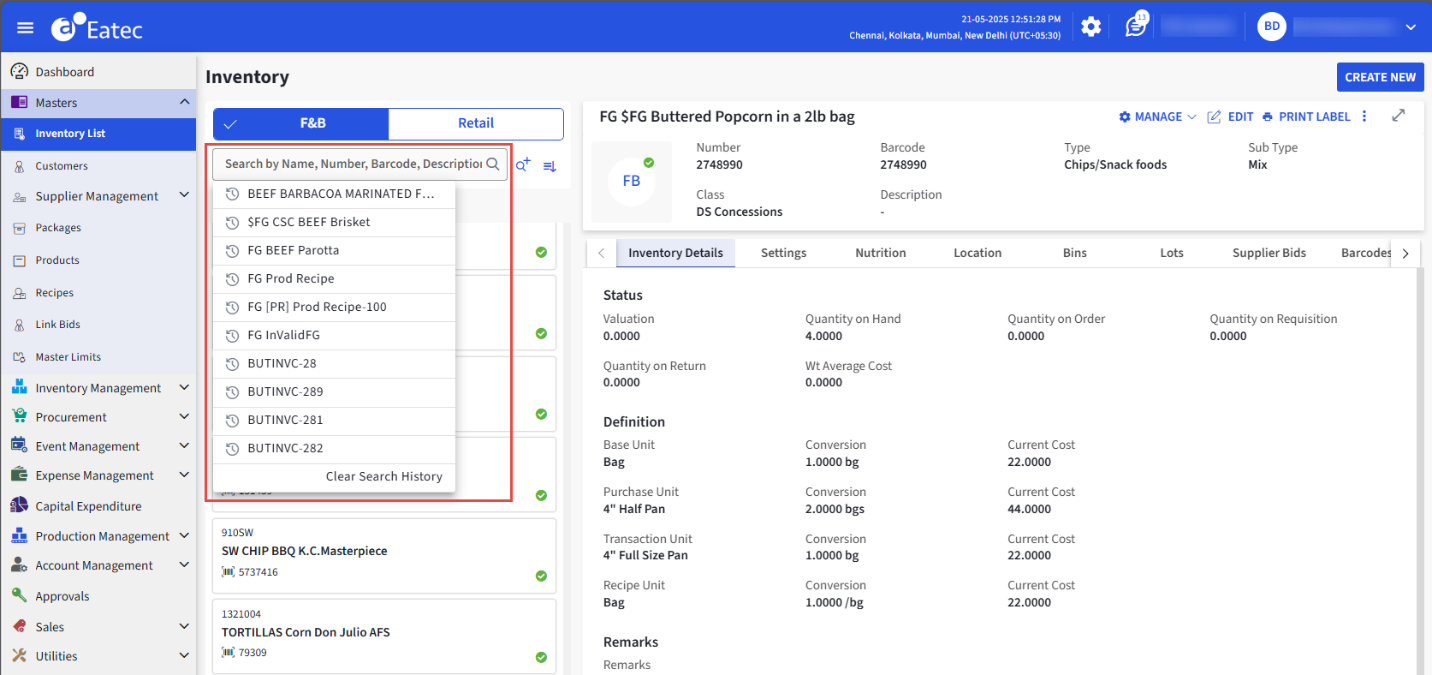
Basic Search
Eatec supports the Basic Search functionality that enables users to search for inventory items using name, number, barcode, or description.
Search History Panel
The Search History panel functions as follows:
-
The Search History panel appears under the search box when users enter keywords to search for items.
-
The Search History panel displays up to 10 items from the recent search history.
-
The Search History panel is displayed only for the basic search functionality.
-
Users must be able to select one item from the displayed list of items in the Search History panel.
-
When users search for items by entering keywords in the search box, the item is saved to the Search History.
-
Users must be able to reset the search history using the Clear Search History option.
Search History